
TV channel maker
Make your own TV channels from videos you own
Plan channels and a weekly schedule in your browser, then watch them on Android TV like broadcast TV: switch on, and something is already playing.
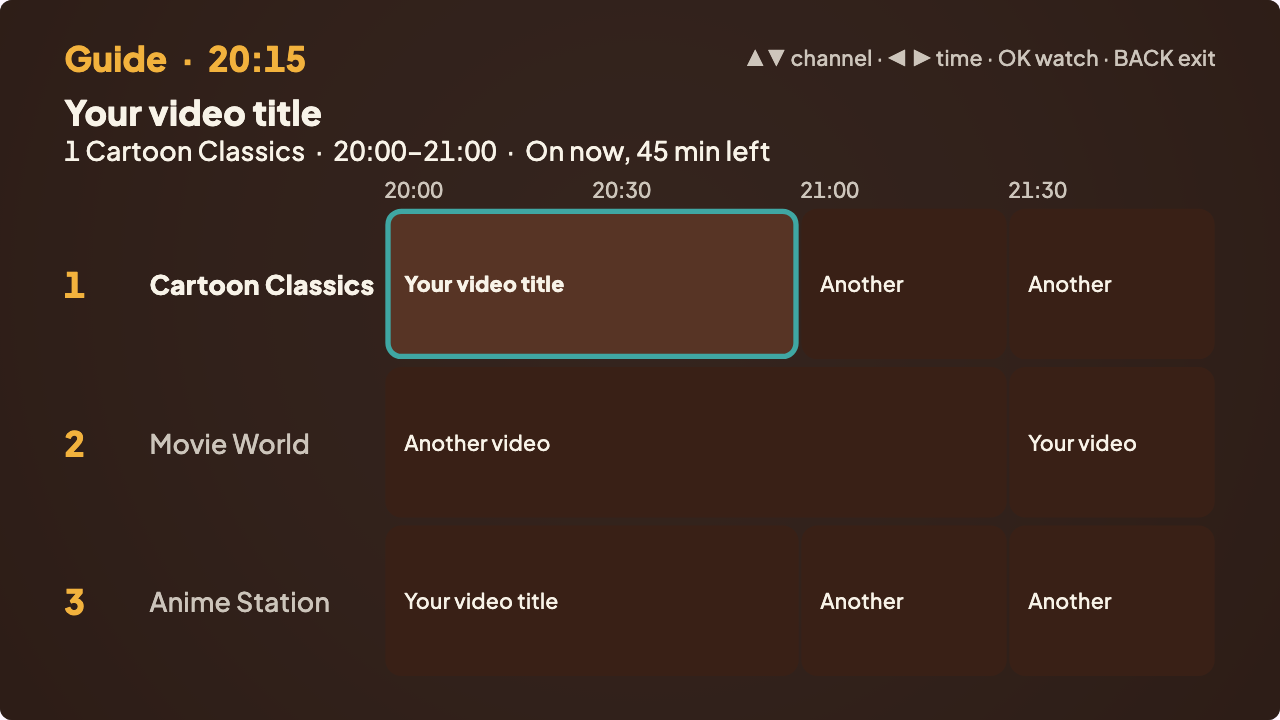
A channel, not a playlist
A playlist starts when you press play. A channel runs on the clock: cartoons at 16:00 on weekdays, a film at 21:00 on Saturdays, and whatever is on when you tune in. Vintelly lets you make several of those channels from your own videos and put them all in one app on your TV.
There are no servers to set up and no technical words: you plan the week, copy it to a USB drive, and watch.
What you can do
Schedule
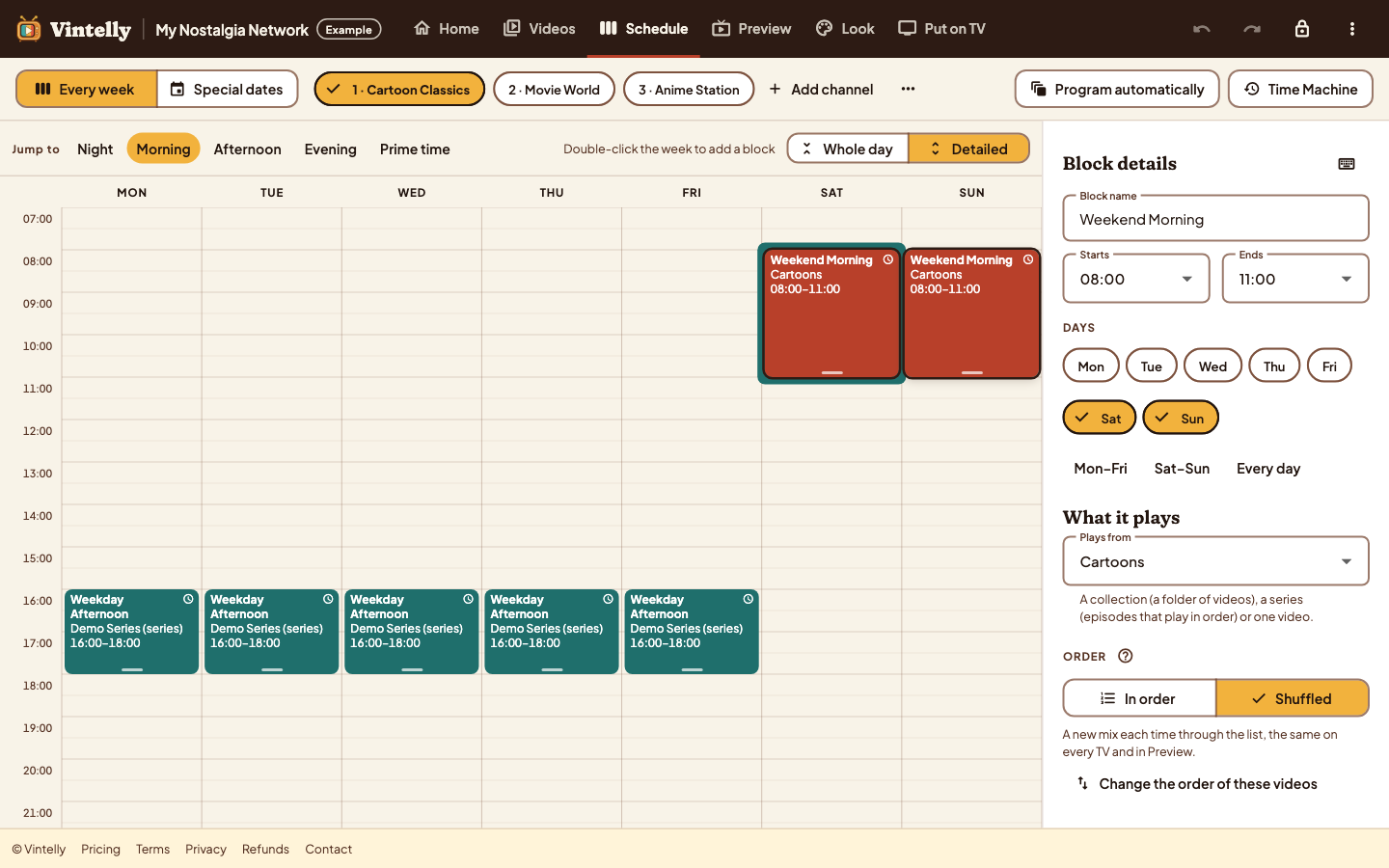
Plan the week in blocks
- Blocks with hours, days and what they play
- Shows on the hour, or back to back
- Special dates for holidays
Faster
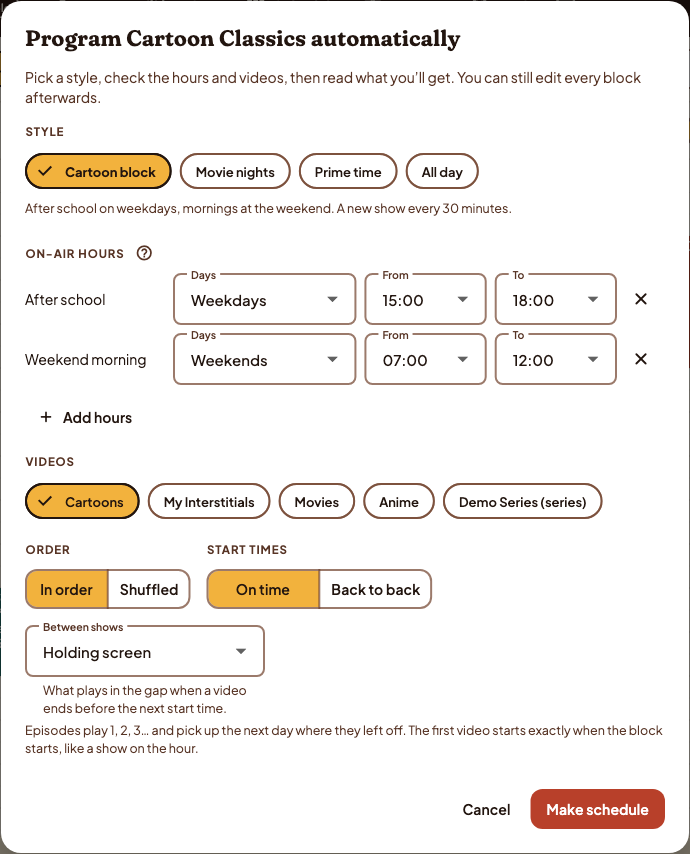
Or let the Studio program it
- Pick a style and on-air hours
- Choose the videos, in order or shuffled
- Edit any block afterwards
On your TV
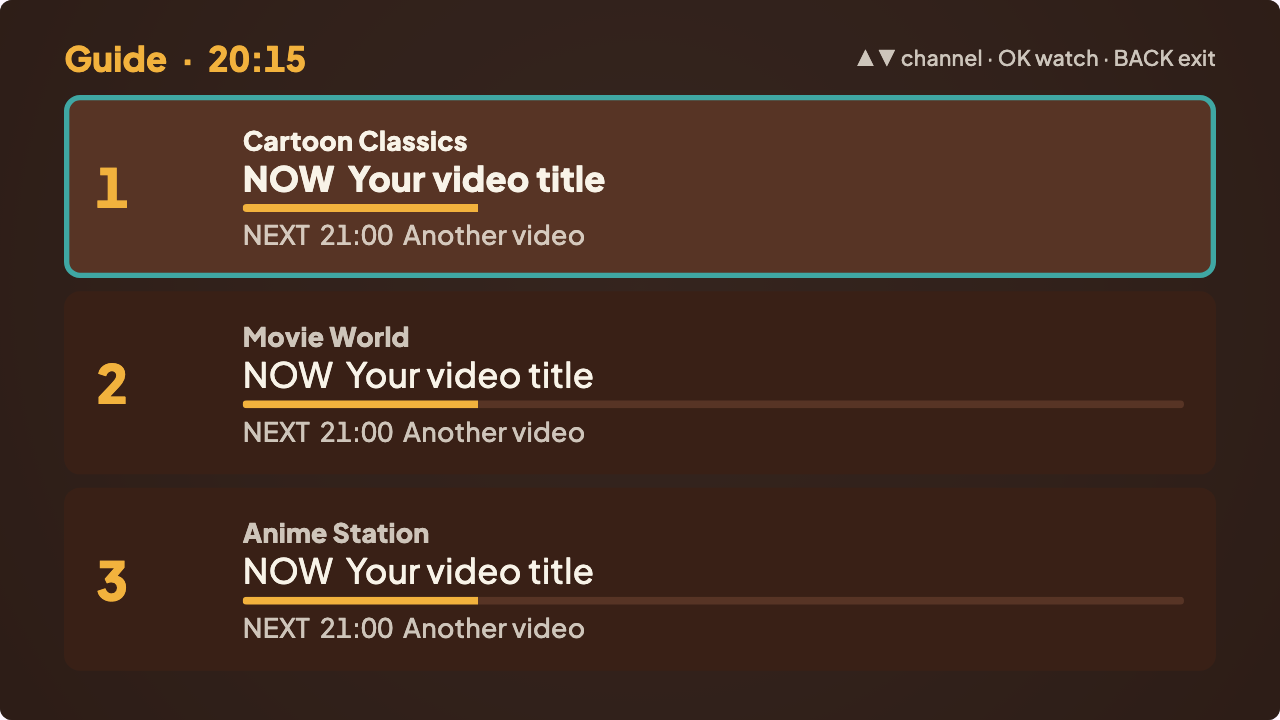
Several channels, one guide
- Channel up and down with the remote
- Grid, Now & Next or List guide
- Joins programmes in progress
Four steps
Plan
Make channels and a weekly schedule in the Studio, in Chrome or Edge.
Copy
Put your videos and two small schedule files on a USB drive.
Plug in
Install the app on your Android TV or Google TV and choose the drive.
Watch
Switch on: your channels are already playing, with a guide.
Questions
How many channels can I make?
Several channels go in one app, each with its own weekly schedule. We will publish tested limits rather than promise “unlimited”.
Do I need a server or a media centre?
No. The Studio runs in your browser and the TV app plays straight from a USB drive. There is nothing to install on a computer and nothing running in the background.
Which TVs does it work on?
Android TV and Google TV first. Samsung and LG TVs can use a compatible Android streaming device over HDMI. See device support.
Read more
How to build a weekly TV schedule with programming blocks
Blocks, start times, episode order and special dates, step by step.
How TV-style scheduling works
Real time, joining in progress, and why the TV and the Studio always agree.
A private TV channel from your own videos, compared with streaming
Scheduled channels and on-demand libraries do different jobs. Here is how.
Start with your TV
Vintelly runs on Android TV and Google TV. Check yours before anything else.