Features

Everything Vintelly does today: a Studio in your browser to plan the network, and an Android TV app that plays it on a real clock.

The Studio: plan your network

Runs in Chrome or Edge on your computer. Your videos stay on your computer.

Every week

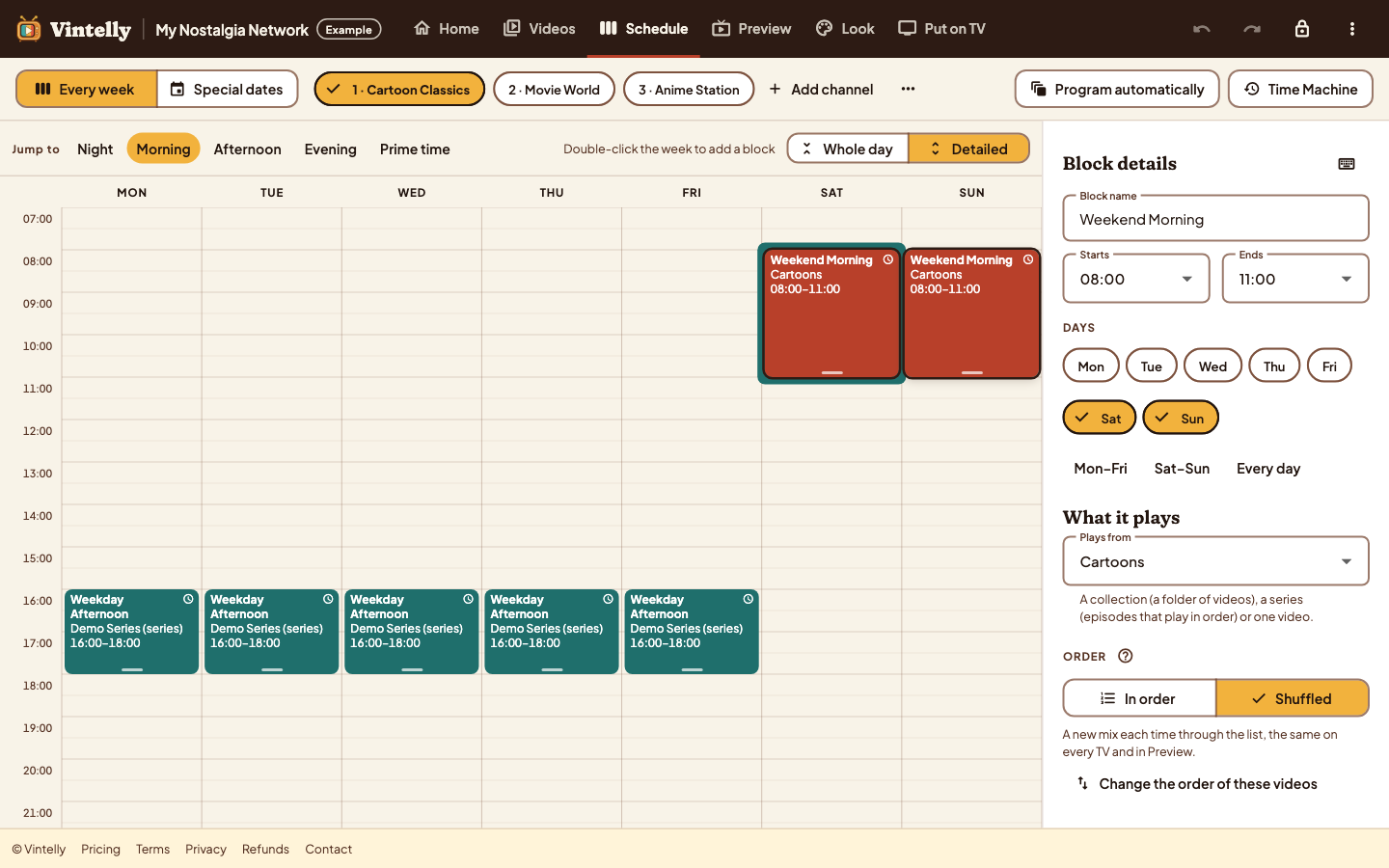
A weekly schedule for each channel

  • Blocks on a weekly timeline: drag them, or move them with the keyboard
  • Each block sets its hours, days and which videos it plays
  • “On time” blocks start on the hour like broadcast TV; “back to back” blocks follow on
  • Special dates replace a day or a date range, for holidays and one-off nights
  • Undo, and a warning when blocks overlap

Guide: build a weekly TV schedule →

Vintelly Studio weekly schedule: three channels, weekday afternoon and weekend morning blocks, and the details of the selected block
Plan each channel’s week. Pick a block to set its hours, days and what it plays.

Program automatically

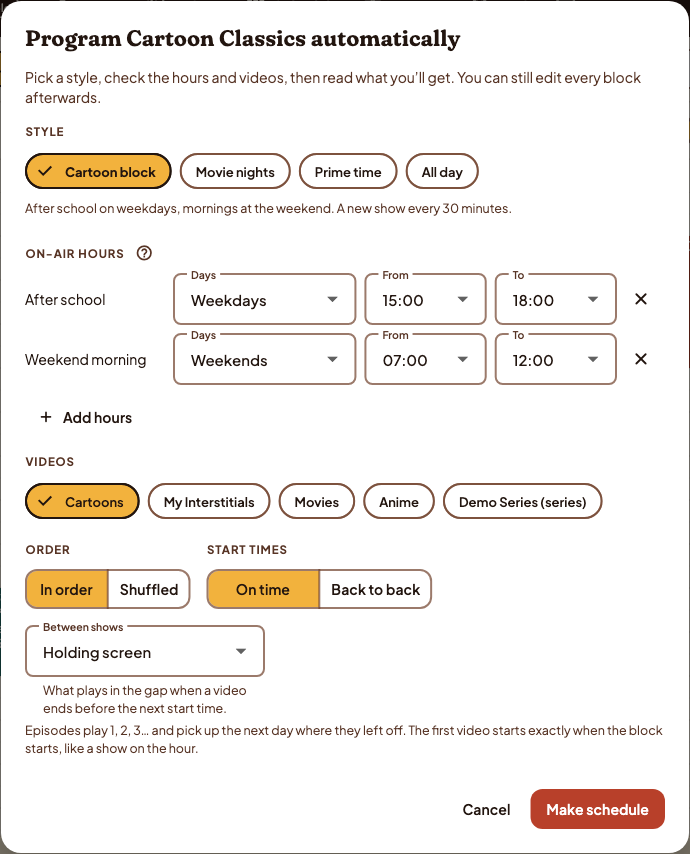
A full channel in a few choices

  • Pick a style, such as after-school cartoons or movie night
  • Choose on-air hours and which videos to use, in order or shuffled
  • Read what you will get before it is made, then edit any block
Program automatically dialog in Vintelly Studio: style, on-air hours, videos, order and start times
Program a channel automatically, then edit any block.

Look

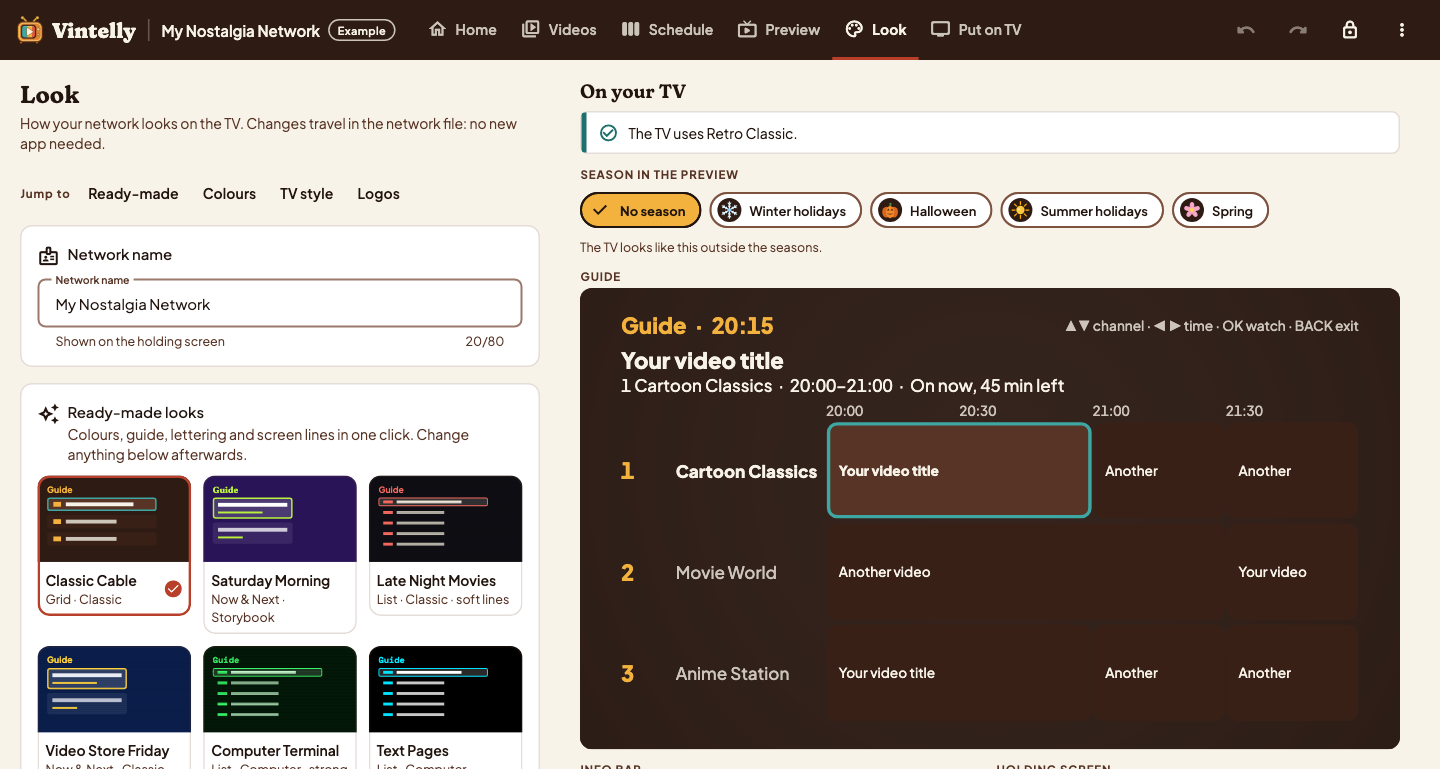
Choose how your TV looks

  • 16 colour looks inspired by TV eras, or your own colours
  • Every look is checked for readability on a TV screen
  • Three guide styles, TV lettering, and optional screen lines
  • Seasonal touches for winter holidays, Halloween, summer and spring, or none
Vintelly Studio Look page: retro colour styles on the left and a preview of the TV programme guide on the right
Choose a look and see the TV guide before it reaches your TV.

Your library

Choose your video folder; the Studio reads each file's length on your computer and groups episodes into shows you can correct.

Preview any moment

See what your TV would show at any day and time, with the programme, progress and what comes next.

On your TV

An app for Android TV and Google TV that plays your channels from a USB drive.

Watching
Switch on, and something is already playing

  • Channels run on the real clock, even while the TV is off
  • Tune in late and you join the programme in progress
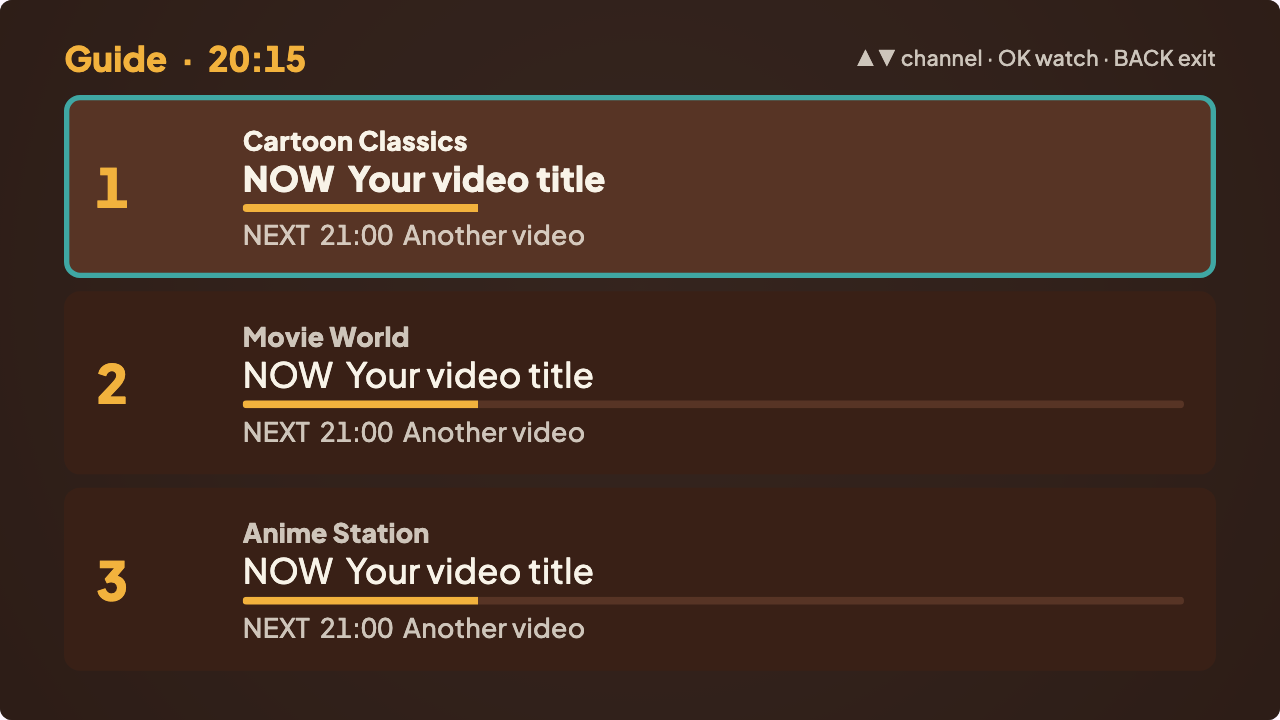
  • Channel up and down with the remote, and a programme guide in Grid, Now & Next or List style
  • Subtitles and audio languages when your video files include them; your choice is remembered
  • A holding screen in your network’s look when nothing is scheduled
Now and Next TV guide: one row per channel with the programme on now, how far it has played and what comes next
The Now & Next guide style, as the Studio previews it.

Your drive

Checks the drive, so you know what is missing

  • Choose the USB drive once; the app remembers it
  • Every file is checked; problems are listed with the channels they affect
  • A missing video shows a holding screen instead of stopping the channel
  • Copy a new schedule to the drive and the app picks it up
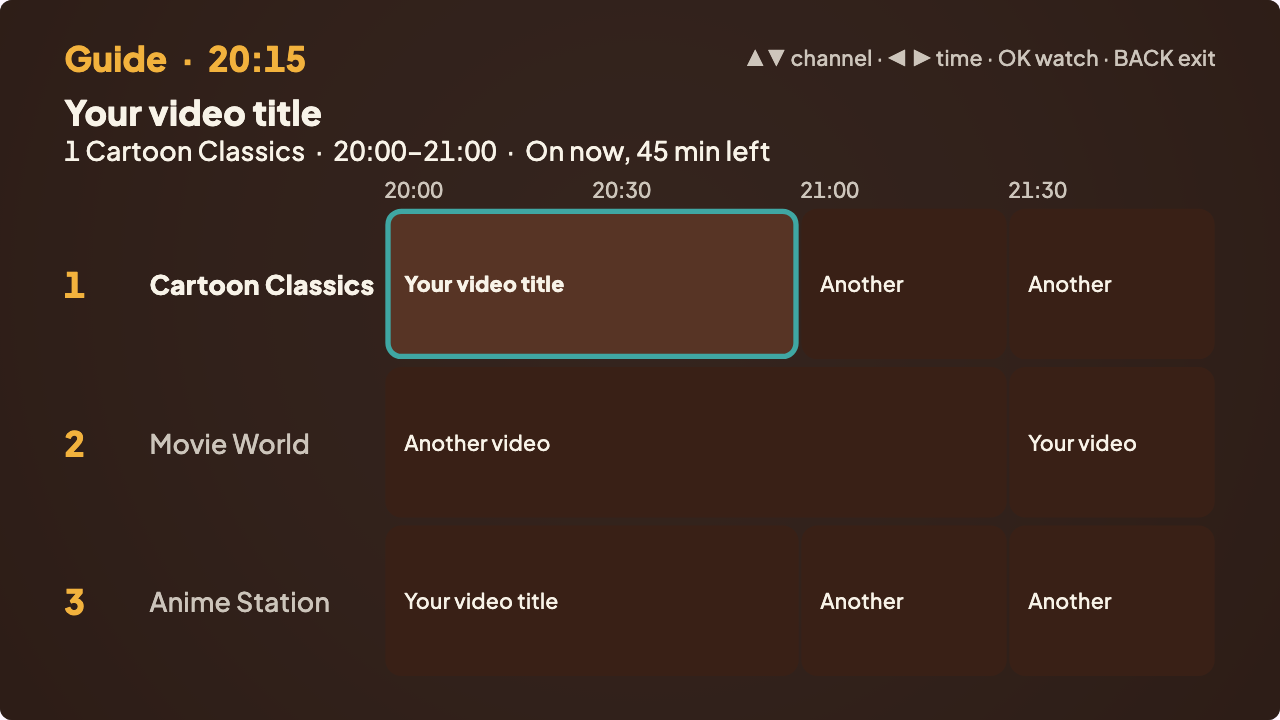
TV programme guide in the Retro Classic look: three channels in a grid by half hour, with the programme on now highlighted
The programme guide on your TV, as the Studio previews it.

What Vintelly promises

No uploads

The Studio reads your files in your browser to learn their length. Videos never reach our servers.

Offline watching

The TV app plays from the USB drive with no internet connection and no account check.

Same answer every time

What is on at any moment is worked out from the schedule and the clock, not from what you watched.

Change it later

Edit the schedule in the Studio and copy one small file to the drive. No new app to install.

Where we are

The Studio and the TV app are built and tested on computers and the Android emulator. Testing on real Android TV and Google TV devices is under way, and we list a device only after it passes. See device support.

See it step by step

From a folder of videos to channels on your TV, in four steps.