Paste what you found
Found an old listing in a newspaper archive? Paste it, one programme per line starting with a time, and the Studio lays out the day. Links to archives open in your own browser; Vintelly fetches nothing from them.

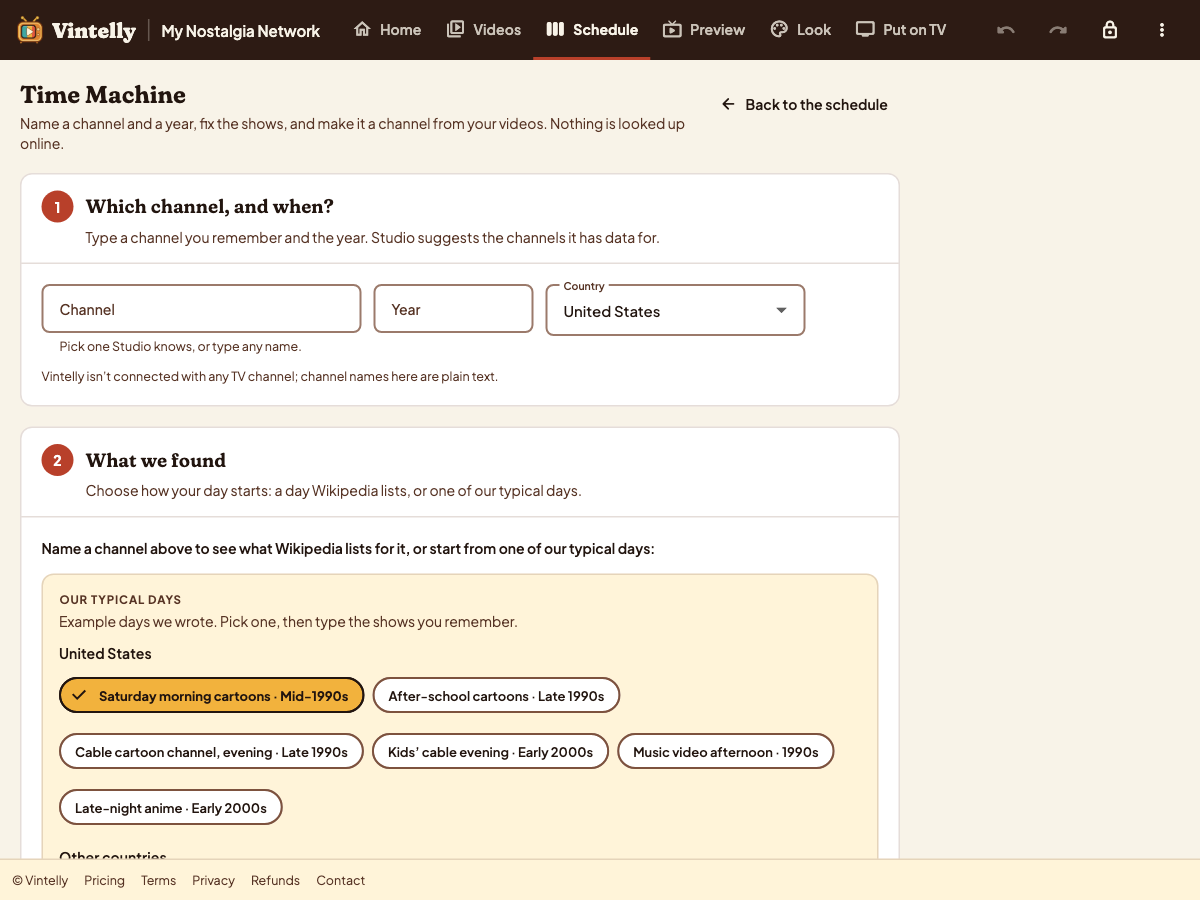
Name a channel and a year you remember, see what was on, and turn that day into a channel made from your own videos.
Type the channel you remember and a year. The Studio suggests the channels it has information for, and any other name works too.
The Studio shows what it knows about that channel and year: programming blocks at their usual hours, a season’s line-up, or, when it has nothing, a typical day we wrote for that kind of channel.
Fix the times and shows until it matches what you remember. As you type, the Studio suggests titles from your own videos and tells you which shows you already have.
See how many of the shows you have, then turn the day into a new channel, or add it to one you have. You can also save the day as a small file to share.
Time Machine is part of the Studio, next to Program automatically.
Every show in your day carries a label, so you always know what is a record and what is a guess.
Guide: recreate a day of TV you remember →
Found an old listing in a newspaper archive? Paste it, one programme per line starting with a time, and the Studio lays out the day. Links to archives open in your own browser; Vintelly fetches nothing from them.
Open a day someone saved and shared with you. The file is checked before anything changes, and its shows are labelled From the file.
Weekly schedules, Program automatically, looks for your TV, and Time Machine.